Polls in eKool Messaging
Polls are a quick way to gather opinions on school or class-related matters. You can add polls in Messages, both on the web and in the mobile app.
Web
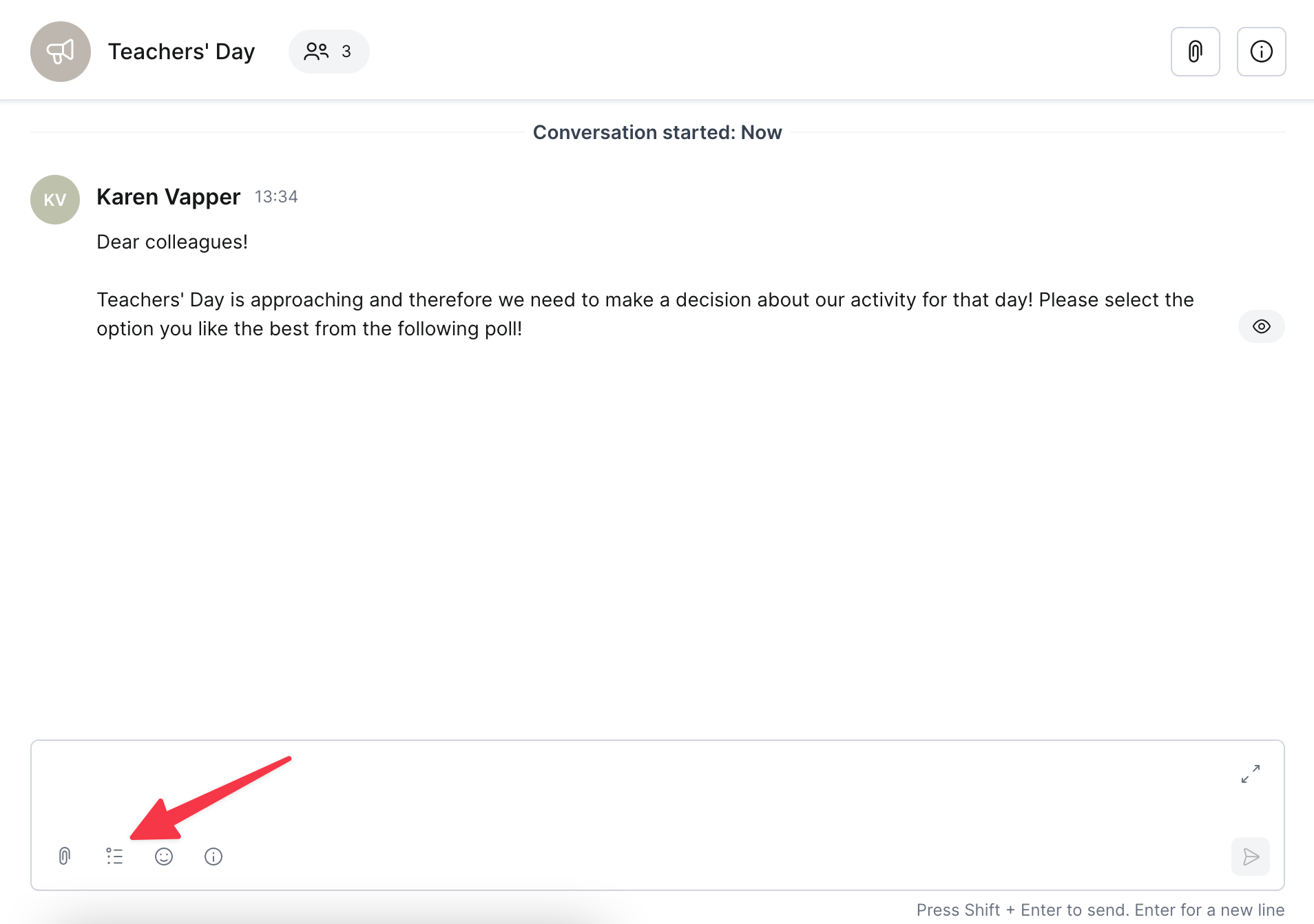 To add a poll:
- Open Messaging and choose a conversation
- If no suitable conversation exists, create a new one
- Selecting Announcement as the conversation type if you like to avoid receiving to replies
- Click the Poll icon to create a new post
- Fill in the poll question and possible answer options
- Choose the poll expiration date
- Click Create Poll
Attention!
The poll always closes at midnight on the selected date and cannot be closed earlier.
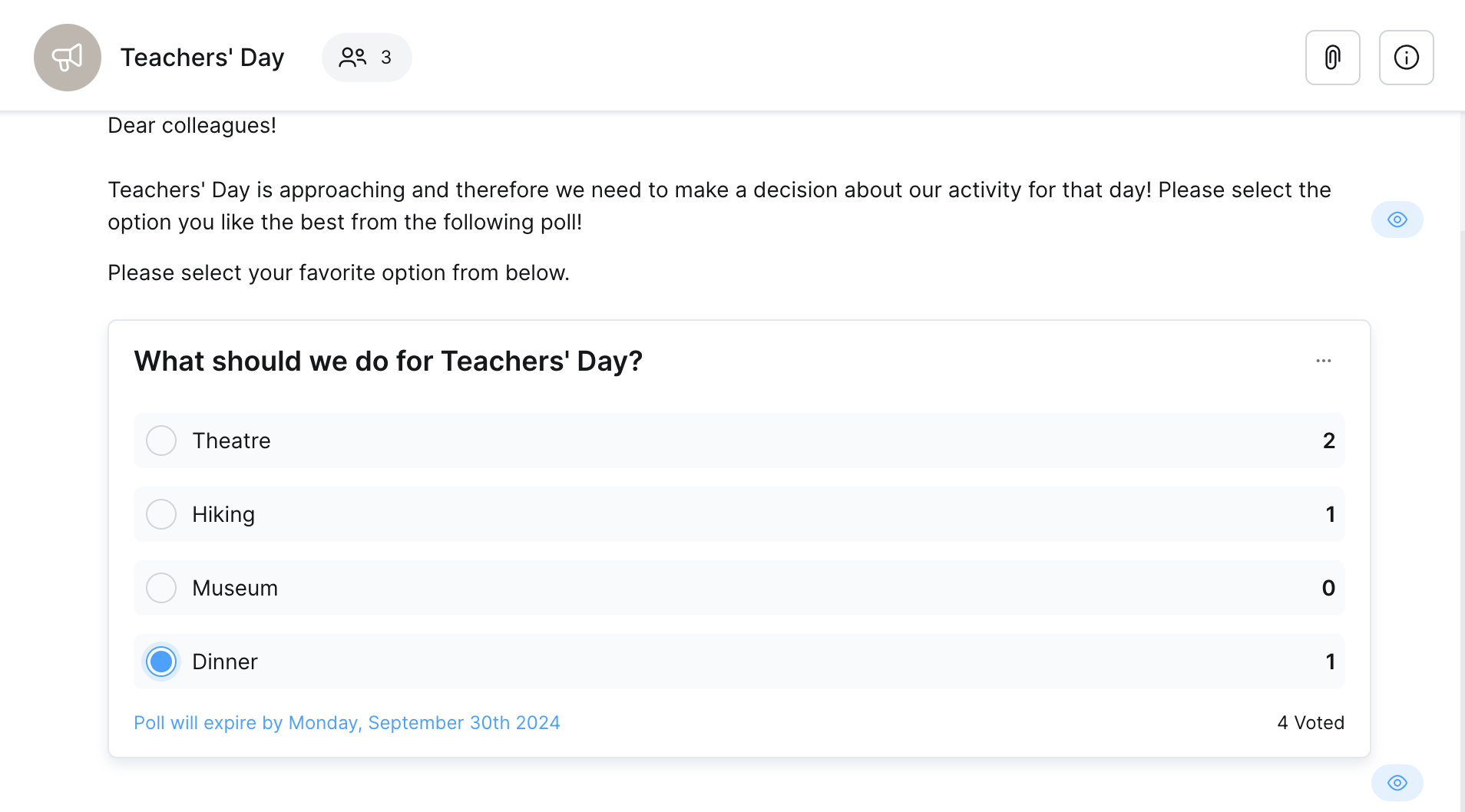
Once your poll is created:
- It becomes visible to all participants in the conversation
- Everyone can vote and see live results – which option is currently most popular
Good to know!
There is no limit to the number of votes that can be added. However, your school must have the Basic Package for poll functionality.
Mobile
.jpg)
To add a poll:
- Open Messaging and choose a conversation
- If no suitable conversation exists, create a new one
- Selecting Announcement as the conversation type if you like to avoid receiving to replies
- Tap the Poll icon to create a new post
- Fill in the poll question and possible answer options
- Choose the poll expiration date
- Click Create Poll
Attention!
The poll always closes at midnight on the selected date and cannot be closed earlier.
Once your poll is created:
- It becomes visible to all participants in the conversation
- Everyone can vote and see live results – which option is currently most popular